Avoid loss of class revenue and set up your app to avoid members cancelling sessions at the last minute.
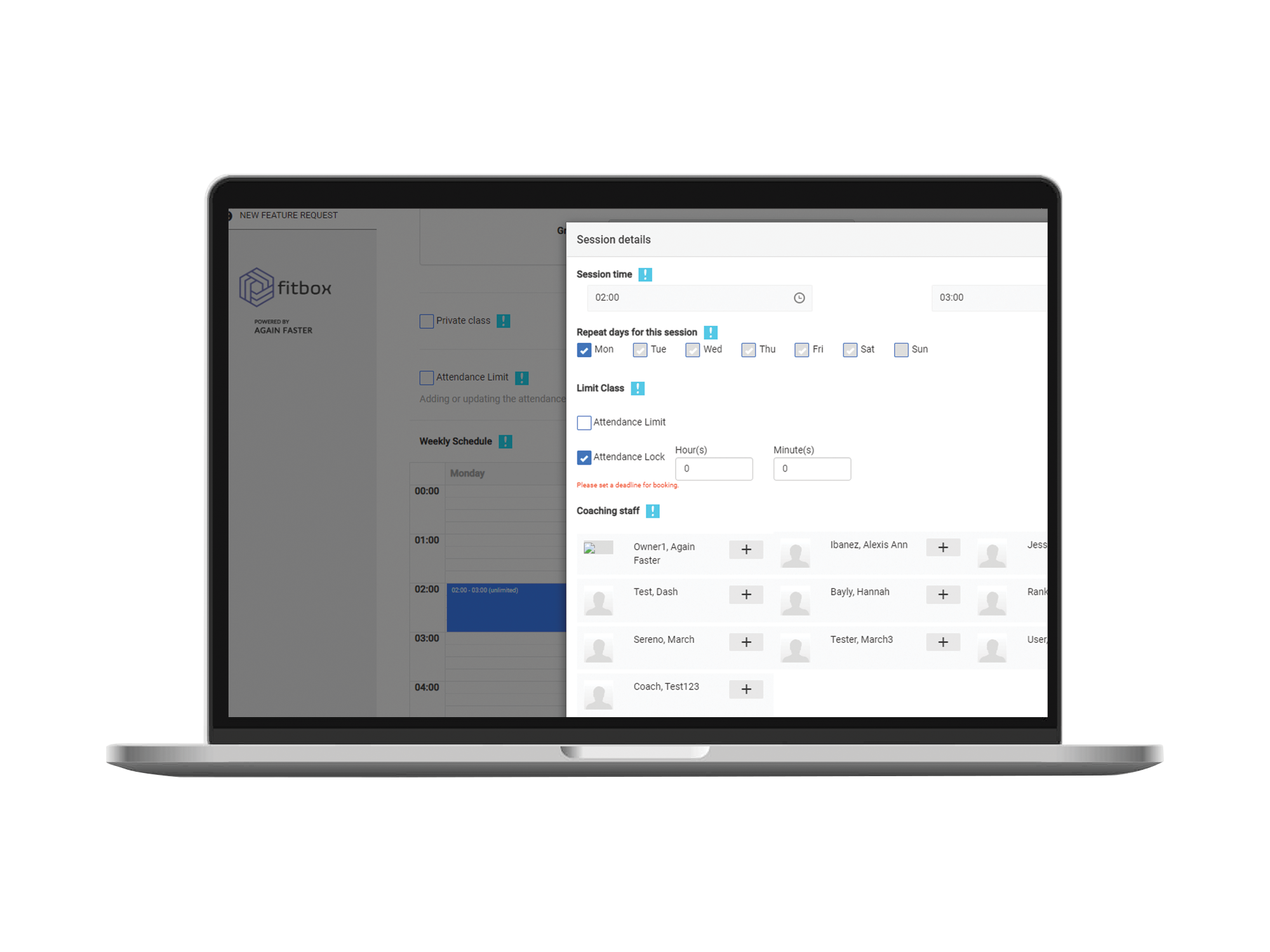
The new session lock can be applied when adding a session on the calendar table upon creating/editing a class:
We can see the new Attendance Lock function usable with the check box here, when we want to apply an Attendance Lock we can check the box and be able to set a deadline before a session gets locked for Cancellations set by hours or minutes at a time.
For example:
We set 1 hour here, and the session time is 2:00 in the morning – members who booked in this class wont be able to unbook in the mobile app after 1:00am. See reference below: